
Kiki: Chat, Flirt, People Near
KikiHub ™Lifestyle
4.3470.00 Reviews
- Version
- 1.1.43.1
- Installs
- 100.00K
- Age Rating
- Mature 17+
Screenshots


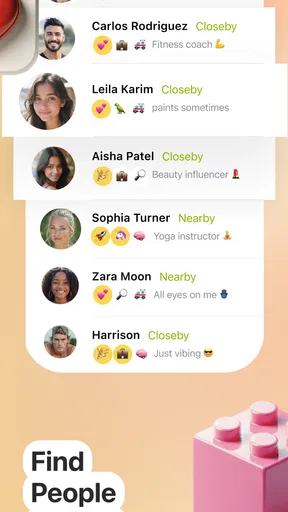

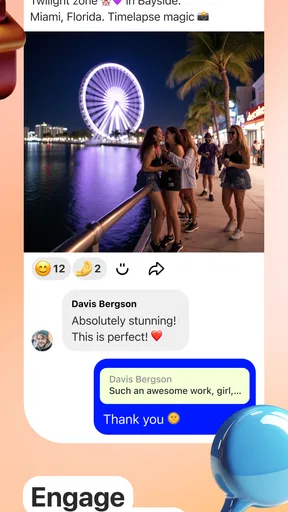
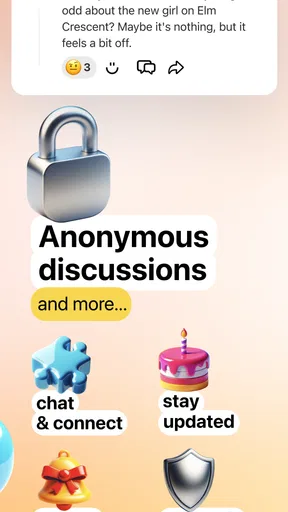


Our Review of Kiki: Chat, Flirt, People Near
 Analysis by Appyee
I went into Kiki: Chat, Flirt, People Near expecting a lightweight way to discover conversations close to me, and that is still the clearest way to understand it. This free lifestyle app from KikiHub ™ is built around meeting people, chatting, and keeping some distance from the pressure of a traditional dating profile. Its mature audience is important, though: the app carries a Mature 17+ rating, so I would not treat it as a general-purpose social network for younger users.
My overall impression is that Kiki works best when I use it as a spontaneous conversation tool rather than as a guaranteed matchmaking service. The nearby angle can make interactions feel more immediate than scrolling through a huge global feed, while anonymous conversation lowers the barrier to saying hello. At the same time, that same low-pressure design can create uncertainty. You may need patience, good judgment, and a clear idea of what you want before the app becomes genuinely useful.
Getting past the first points of friction
The first place I would expect users to get stuck is not the chat itself, but the transition from opening the app to finding a conversation that feels worth continuing. “Nearby” sounds simple, yet it depends on context: the usefulness of the experience changes with the number of active people around you, how clearly you present yourself, and whether other users are looking for the same kind of interaction at that moment.
I found it helpful to treat the opening screen as a starting point, not a promise that a perfect match will appear immediately. If the first conversations feel quiet, repetitive, or mismatched, that does not automatically mean the app is broken. A local social app can feel lively in one moment and sparse in another. I would give it several short visits at different times before deciding whether the community fits me.
The anonymous side also changes how I read conversations. It can make it easier to ask a casual question or join a discussion without exposing every personal detail at once. But anonymity removes some of the normal signals people use to judge trust. I would avoid sharing a phone number, home address, workplace details, private photographs, or anything that could identify my routine until I have built real confidence in the person.
The most important setup decision is how much personal information I choose to reveal. I would keep an opening message friendly but general, then watch how the other person responds. Someone who respects boundaries is more promising than someone who immediately pushes for private details, money, rapid off-platform contact, or an in-person meeting.
Small setup checks that make the experience clearer
Before judging the app, I would check that the device is compatible. Kiki supports Android starting with version 8.0, which covers many older phones but does not mean every device will behave identically. I would also make sure the app itself is updated to version 1.1.43.1, because an outdated installation can produce confusing behavior that looks like a problem with chat discovery or loading.
I would then review the phone’s general connection. Switching between Wi-Fi and mobile data is a simple way to see whether a slow conversation list is caused by the network rather than the app. If other apps are also taking a long time to load, restarting the connection or the phone is a more sensible first step than repeatedly tapping the same screen.
Location-related expectations deserve care. The nearby concept is central to Kiki, but I would not assume that every person shown is physically close in the exact way I imagine. I would use the app’s local discovery as a way to begin a conversation, not as proof of someone’s identity, address, or availability. Never use a nearby label as a reason to visit a location without independently confirming who you are meeting and choosing a public place.
Notifications are another practical detail. If I expect a reply, I would check the phone’s notification settings and the app’s own notification controls rather than assuming every message will interrupt me immediately. A delayed alert can make a conversation appear inactive even when the other person has responded. When I want a focused session, I prefer opening the app directly and checking the conversation instead of relying only on alerts.
The app is free to install and use, but it includes optional in-app purchases ranging from $0.49 to $99.99 per item. That wide range makes it especially important to understand what I am buying before confirming anything. I would not spend simply because a conversation is slow or because I feel pressure to become more visible. Paid options may be useful for someone who already understands the service, but they cannot manufacture genuine interest or make an unsafe interaction safe.
A better first-session workflow
My preferred first session would be short and deliberate. I would browse the nearby area, read the tone of available conversations, and send one or two natural messages instead of contacting everyone at once. This gives me a better sense of how people respond and prevents the experience from turning into a numbers game.
I would also decide in advance what I am comfortable discussing. For example, I might talk about hobbies, local food, music, films, or what brought someone to the app. I would postpone questions about exact location, income, relationship status, or other sensitive subjects. That approach makes the conversation more relaxed while giving me an early test of whether the other person can hold a normal exchange.
One useful habit is to distinguish a slow reply from a bad interaction. Nearby users may be busy, browsing casually, or interested in a different style of chat. I would not send repeated messages to force an answer. If the exchange becomes one-sided, I would move on without treating that as a personal failure.
Recovering when the workflow stops making sense
When Kiki appears stuck, I would work through the problem in a fixed order. First, I would confirm the connection by opening another service. Next, I would close and reopen the app, then restart the phone if the issue continues. After that, I would check whether the installed version is current and whether the device has enough free space for normal operation.
If only one conversation fails while other parts of the app work, I would avoid assuming that the entire service is unavailable. The issue may be limited to that conversation, the other user’s activity, or a temporary loading error. I would return to the broader discovery area and see whether it responds normally. This simple comparison helps separate a local screen problem from a wider service problem.
For messages that seem not to send, I would avoid pressing the send control repeatedly. Repeated taps can create duplicates once the connection recovers. I would wait, check whether the message appears in the thread, and then try again only if it clearly did not go through. If the app remains unreliable, I would record what happened in plain language, including the device version, the app version, and the screen where the problem occurred, before contacting the appropriate support channel.
Privacy concerns deserve a different response from technical trouble. If a conversation becomes uncomfortable, I would stop replying, use the available reporting or blocking controls if appropriate, and keep evidence of serious harassment. I would not continue chatting just to collect more proof. The app’s anonymous style can make people feel protected, but it should not encourage risky engagement.
There is also a social recovery workflow. If a promising conversation disappears, I would not immediately assume the person blocked me or that the app deleted something. People leave, lose interest, change their availability, or simply stop checking a social app. I would give the situation space and return to discovery rather than chasing one missing interaction.
What I would do before meeting anyone
Kiki may help people who want to move from online conversation to a real-world meeting, but I would make that transition slowly. I would first look for consistency in the person’s behavior, avoid sending money or accepting financial requests, and use a public location with my own transport plan. I would tell a trusted person where I am going and arrange a check-in.
I would also remember that a nearby conversation is not identity verification. A profile, nickname, or anonymous message does not prove age, intentions, or location. If someone refuses a reasonable public meeting, pressures me to keep the meeting secret, or tries to move the conversation into a situation I cannot control, I would end it.
When another type of app may serve you better
Kiki is more appealing to me than a conventional dating app when I want informal discovery, a local feel, or a conversation that does not begin with a long profile-building exercise. It can also be a better fit than a broad social network when I want to focus on people nearby rather than managing a large circle of existing contacts.
However, I would choose a traditional dating service when I want detailed compatibility filters, clearly defined relationship goals, or a more structured identity and profile system. I would choose an established messaging platform when I already know the people I want to contact and do not need nearby discovery. I would choose a moderated interest community when the main goal is discussing a hobby rather than flirting or meeting strangers.
This distinction matters because Kiki’s strength is spontaneity, not certainty. The app can open a door to a conversation, but it does not remove the work of deciding whether that conversation is worthwhile. People seeking a carefully organized dating process may find the anonymous and local-first approach too loose. People who dislike unexpected social contact may also prefer a service where they control discovery more tightly.
Who will get the most from Kiki
I think Kiki suits adults who enjoy brief, low-pressure conversations and are comfortable making their own decisions about boundaries. It is particularly interesting for someone who has moved to a new area, wants to meet people beyond an existing social circle, or prefers starting with casual chat rather than a formal introduction.
A realistic everyday use case would be an adult who has recently relocated and spends an evening browsing nearby conversations after work. Instead of trying to arrange a date immediately, I would use the app to ask about relaxed local activities or simply exchange a few messages. If the conversation feels natural, I might continue another day. If it feels forced, I would leave it there without having invested a long profile-building process.
The app is less suitable for anyone under the stated age rating, for people who need strong certainty about who they are talking to, or for users who want a fully managed matchmaking experience. I would also skip it if I were uncomfortable with location-oriented discovery or anonymous interaction. Those are not minor details; they shape the entire experience.
How the app feels as a product
KikiHub ™ presents Kiki as a lifestyle app rather than a narrowly defined dating utility, and that broader framing matches my experience. The emphasis is on talking and discovering people, with flirting available as part of the social atmosphere rather than the only reason to open it. That makes the app flexible, but it also means I need to set my own expectations before using it.
The public response suggests that many people find the concept appealing: Kiki has a 4.3 average from around 5.7 thousand ratings, with over 100 thousand installs. Those figures indicate meaningful interest, but they do not tell me whether the nearby community in my area will be active or whether every conversation will be satisfying. I would treat them as a sign that the app is worth trying, not as a guarantee of local results.
The current version is 1.1.43.1, and the app was released on October 31, 2024. Because it is a relatively recent product, I would be patient with occasional rough edges and keep expectations realistic. A newer social app may still be refining how it handles discovery, conversation flow, and the balance between anonymity and accountability.
What I appreciate most is the low commitment. I can explore the social side without paying to download the app, and I do not have to present a polished biography before starting a conversation. What I like least is the uncertainty that comes with that freedom. If I want dependable replies, precise matching, or a strong sense of identity from the beginning, Kiki may feel too open-ended.
My practical verdict
I would recommend Kiki to an adult friend who wants to meet people nearby and is willing to take responsibility for pacing, privacy, and safety. I would suggest using it in short sessions, starting with general conversation, and judging the quality of interactions rather than the number of profiles or messages available.
I would not recommend paying for optional items during the first visit. I would first learn how discovery works in my area, see whether the conversation style suits me, and decide whether the free experience already provides enough value. Spending should be a considered choice, never a reaction to boredom, pressure, or a disappointing reply.
My final view is positive but measured. Kiki offers a distinctive blend of local discovery, casual chat, and anonymity, which can feel refreshing compared with highly structured dating apps or ordinary messaging tools. Its main challenge is that the user must supply the judgment and boundaries that a more formal service might make more visible. If you want spontaneous social contact and can handle that responsibility, it is worth exploring. If you need certainty, detailed matching, or tightly controlled communication, another category of app will probably suit you better.
Verdict
Strengths of Kiki: Chat, Flirt, People Near
- Quickly discover nearby people with similar interests.
- Simple interface makes browsing profiles easy.
- Chat features support casual conversations and flirting.
- Useful filters help narrow down potential matches.
- Profile setup is fast and requires little effort.
Limitations of Kiki: Chat, Flirt, People Near
- Some features may be limited without a premium subscription.
- Nearby results depend heavily on the size of the user base.
- Public profiles may reveal more information than expected.
- Conversations can include inactive or low-quality accounts.
- Location-based matching may raise privacy concerns for some users.
Similar Picks in This Category
View All
SmartThings
Samsung Electronics Co., Ltd.4.6

Google Home
Google LLC4.0

Pinterest4.2

Astrotalk - Talk to Astrologer
Astrology & Horoscope4.7

My Verizon
Verizon Consumer Group4.5

Samsung Wallet (Samsung Pay)
Samsung Electronics Co., Ltd.4.1
Frequently Asked Questions
What is Kiki: Chat, Flirt, People Near used for?
Kiki: Chat, Flirt, People Near is a social discovery and dating-style app designed to help users meet and communicate with people nearby. You can create a profile, browse other members, show interest, and start conversations when there is mutual interest or when the app allows direct messaging. Its main purpose is casual chatting, flirting, and discovering new local connections.
Is Kiki: Chat, Flirt, People Near free to download and use?
The app may be available to download at no initial cost, but some features can be limited or supported by advertising, subscriptions, or in-app purchases. Depending on the current version and your region, advanced discovery tools, unlimited messaging, profile visibility options, or other premium functions may require payment. Check the store listing and purchase terms before subscribing.
How can I protect my privacy and safety while using Kiki?
Avoid sharing your home address, workplace, financial information, passwords, or private documents with people you meet through the app. Use the app’s blocking and reporting tools if someone behaves suspiciously or makes you uncomfortable. If you arrange an in-person meeting, choose a busy public place, tell someone you trust, and remember that profiles and conversations may not always represent a person accurately.
Does Kiki require access to my location or other personal information?
Because Kiki focuses on people nearby, location access may be requested to show relevant profiles and local connections. The app may also ask for permissions related to your profile, photos, notifications, or camera, depending on the features you use. Review each permission carefully, allow only what is necessary, and check the app’s privacy policy to understand how information is collected and used.
Can I delete my Kiki account if I no longer want to use it?
In most cases, account-management options can be found inside the profile, settings, or help section, where you may be able to deactivate or permanently delete your account. Deleting the app from your phone does not necessarily remove your profile or cancel a subscription. Before leaving, cancel any active paid plan through the relevant app store and confirm that your account deletion has been completed.
